
Sonoff is a major player in the smart home market, as it often offers interesting devices at attractive prices, and this is again the case with SNZB-01M, a 2×1, as it serves as both a switch and a Zigbee controller to control different aspects of the home.
Why does the Sonoff SNZB-01M have this price?
Sonoff usually offers quality devices at competitive prices and SNZB-01M is a complete Zigbee switch/controller that you can find for less than 20 euros.
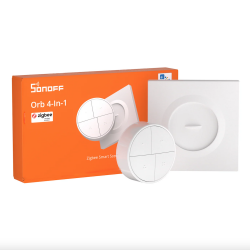
Advantages and disadvantages of the Sonoff SNZB-01M
Advantages
- Zigbee 3.0technology: If you want to have a unified home automation installation, Zigbee technology is a good choice with different brands on the market.
- EWeLink Remote Technology: It is also possible to use EWeLink Remote to control actuators using this technology without the need to buy a hub.
- Compatibilities: SNZB-01M is compatible with eWeLink, Home Assistant, Jeedom and Zigbee2MQTT.
- 4 buttons, 16 actions: It is a complete device since each button manages 4 different actions, so you can have up to 16 different uses.
- TouchLink and Binding: You can associate this SNZB-01M Zigbee remote control/switch with Zigbee actuators and not depend on a Zigbee hub to control your devices.
- Switch board: In addition to being able to use SNZB-01M as a remote control throughout the house, you can also use it as a wall switch thanks to the included switch board.
- Price: It is a complete device with a competitive price.
Disadvantages
- Zigbee Hub: If you want to use Zigbee technology, you must additionally purchase a compatible Zigbee hub.
Tutorial on how to use the Sonoff Orb 4-In-1
Today we will discover all the details of this new device.

General characteristics of Sonoff SNZB-01M (Orb 4-In-1)
If we open the packaging, we discover a card presenting Sonoff’s Fusion range.

We have an instruction manual.

We have the Sonoff controller, which comes with a badge.

You can stick this plaque on the wall with an adhesive included.

Or fix it in a 60 mm diameter European flush box with screws included.

SNZB-01M can be used as a remote control, i.e. you can move it around your home to control smart devices.
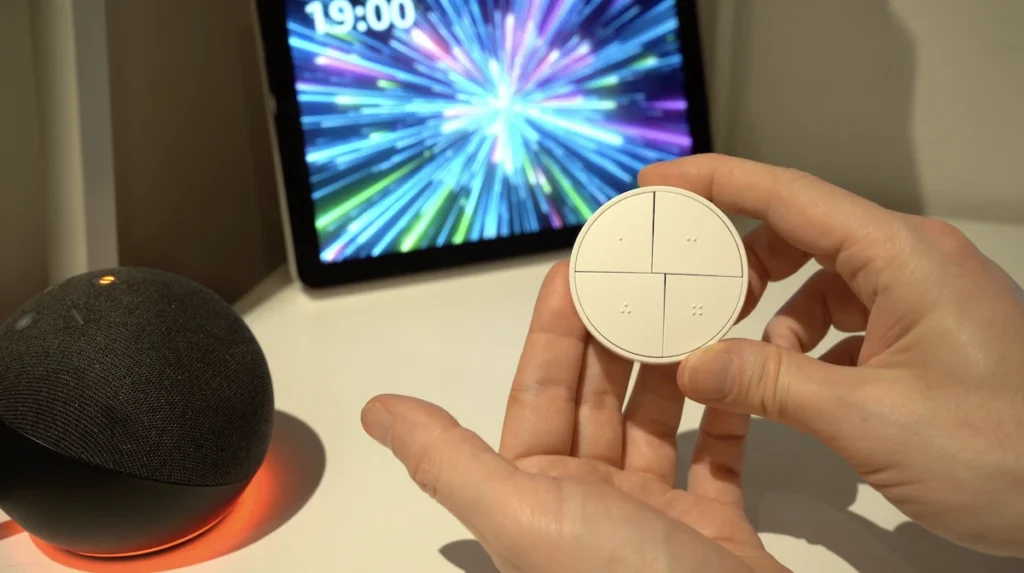
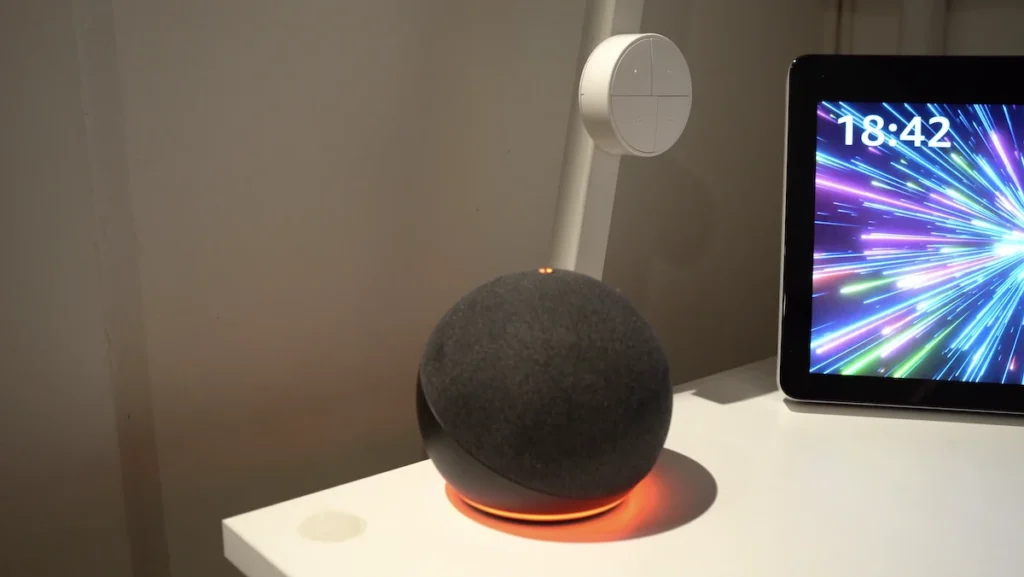
But you can also put it on its plate at any time thanks to its magnet and use it as a wall switch.

As it has a built-in magnet, you can also attach it to a metal surface in your home.
As you can see, this device is white, with dimensions of 50x50x22.5 mm, with a temperature of use from -10 to +60 °C and relative humidity of use from 5 to 95 % RH.

It has 4 buttons with tactile dots that allow you to identify the buttons by touch, without looking.

Each button has 4 functions:
- Simple press
- Double tapping
- Triple pulse
- Press and hold

4 buttons with 4 functions each, which means that you will be able to control up to 16 different aspects of your home.

It is very similar to another famous brand on the market, but with the difference of having an attractive price, being less than 20 euros.

This Sonoff remote control/switch communicates with the famous Zigbee technology and is compatible with Jeedom and Home Assistant with the famous Zigbee2MQTT platform, which we have already discovered on several occasions.

Sonoff indicates that the direct communication range in open spaces can be up to 130 m, although, of course, indoors this range will be reduced by various obstacles.

A very interesting detail of this Sonoff control/switch is that it integrates the Binding and Touchlink functions.

The Binding, with Zigbee technology, allows you to associate the remote control/switch with a device such as a socket, module, light bulb or other ON/OFF device, from the interface of your home automation hub.

Once linked, although you will still have control of your Zigbee devices from your home automation hub, if you have a failure of this hub, you will still have local control of your socket, module, bulb or other ON/OFF device from your Sonoff controller/switch, locally.

Touchlink allows, this time, to associate your Sonoff remote control/switch with a socket, module, light bulb or other ON/OFF device, but without buying a Zigbee hub.

This means that if you want to start a project from scratch, you just want to control a light with this remote control/switch without having to use a Zigbee hub, it is possible with the Touchlink function.

In addition to Zigbee, this Sonoff controller/switch also incorporates eWeLink-Remote technology, which is used to control actuator devices that also use this technology, without relying on Wi-Fi or the Internet, with direct communication between devices.

It has a similar design to the Fusion series, allowing you to unify the aesthetics in your home if you have several Sonoff devices in this range.

A CR2477 battery is included, and Sonoff reports a battery life of 4 years in laboratory conditions, at room temperature, with 50 keystrokes per day with Zigbee technology and 2 years with eWeLink-Remote mode.

How to link the Sonoff SNZB-01M (Orb 4-In-1) control/switch
To link this SZNB-01M Zigbee remote control/switch, you must put your compatible Zigbee hub in pairing mode.

Of course, you should always check that you have a hub compatible with any Zigbee device, and in my example, I use the latest version of Zigbee2MQTT with the Home Assistant Green hub.

You must remove the cover of the device.

And remove the battery protection.

It should automatically appear on your hub interface.

How to use the Sonoff SNZB-01M control/switch
In this interface, we can see 3 pieces of information. “Battery” allows us to know the battery status in percentage.

“Action” allows us to know the information of the presses of this Sonoff control/switch from our hub, and, of course, we will be able to take advantage of them to create automations. Each time we press one of the 4 buttons, whether it is a single, double, triple or hold press, we will have each of this information.

Therefore, by knowing each type of keystroke and button pressed, we can create different automations, whether to manage blinds, lights, heating, alarm, irrigation or any other aspect of our home.

In my example, I have created 4 simple automations with an Aqara Zigbee bulb that I also have linked to my Home Assistant hub.
- If I press button 1 once, the bulb lights up.
- If I press button 2 once, it turns the bulb off.
- If I press and hold button 3, the bulb lights up.
- If I press and hold button 4, it turns off the bulb.

As you have seen, this method allows you to have control of a light bulb, but of course, in some cases, it is even better to use Touchlink or Binding for direct control of a device.

But this controller can be practical for more complex automation applications, controlling several devices at the same time. As I often say, your imagination is your limit.

And finally, “Link Quality” is a data that allows you to know the quality of the communications of the Sonoff device with your Zigbee hub; 0 would be very bad quality and 255 would be excellent quality.

In short, Sonoff is, as always, a major player in the smart home market, with increasingly interesting and complete products at very competitive prices, and this remote control/switch is sure to be a new success.

Generally purchased together


Buy Now Sonoff SNZB-01M

Graduated with a Higher Technician’s Certificate in Home Automation, a Professional Bachelor’s degree in E-commerce and Digital Marketing, and a Master’s degree in SEO, I have been working since 2013 in a home automation e-commerce company called Domadoo, where I have the opportunity to test a large number of the popular Smart Home products on the market.